Imagine you’re an SLP finishing a two-hour evaluation. You want to capture the family’s goals, the client’s self-report, and your own clinical impressions before they evaporate — but you’re also managing the session, the caregiver’s questions, and six open browser tabs. Or picture a college student with a traumatic brain injury (TBI — an injury to the brain from an external force, affecting memory, attention, and processing speed) sitting through a lecture, working twice as hard as classmates just to follow along, with nothing left over for note-taking. In both scenarios, the problem isn’t intelligence or effort. It’s cognitive load — the mental energy required to hold information in mind while simultaneously doing something else. AI voice recorders with automatic transcription (devices or apps that record speech and convert it to searchable, editable text without manual typing) directly target that bottleneck. This guide breaks down what the technology actually does, where it falls short, and how to match the right tool to the right functional profile.
What “AI Transcription” Actually Means in 2026 — and Why It Matters for Disability Contexts
The phrase “AI transcription” gets applied to a wide range of products. It’s worth being precise, because the underlying architecture determines accuracy, latency, and — critically — offline availability, which matters enormously for people who can’t troubleshoot a dropped Wi-Fi connection mid-session.
Three distinct tiers exist in the current market:
-
Cloud-dependent real-time transcription. The audio leaves the device, gets processed on a remote server, and returns as text within seconds. Accuracy is typically highest here (word error rates under 10% in clean acoustic environments, per published benchmark data from Otter.ai and Microsoft Azure Speech Service documentation). The tradeoff: no internet, no transcript.
-
On-device neural transcription. Processing happens locally on the recorder itself. Accuracy has improved dramatically since 2023 — devices running Apple’s on-device Whisper-derived models or Qualcomm’s AI-enabled chipsets now reach near-cloud accuracy for standard American English. The tradeoff: accent and dysarthric speech recognition (recognizing speech affected by motor disorders like cerebral palsy or ALS) remains a known gap.
-
Hybrid. The device transcribes locally in real time and syncs a cleaned-up version to the cloud when connected. This is where most mid-to-premium dedicated recorders landed by early 2026.
Why accuracy gaps hit disability users harder. For a neurotypical user, a 15% word error rate is annoying. For a person with aphasia (a language disorder typically from stroke or brain injury that affects reading, writing, and comprehension) reviewing transcripts to support memory, that same 15% error rate may render the document useless or worse — actively misleading. ASHA’s Cognitive-Communication Disorders practice portal explicitly flags that individuals with acquired brain injury often have reduced ability to self-correct text errors, meaning the burden of transcript cleanup falls on caregivers or clinicians unless accuracy is high from the start.
Matching Device Profile to Functional Need
This is where the purchasing decision actually lives. There’s no single “best” AI recorder for disability use — there’s a best fit for a given functional profile. Here are the four most common scenarios practitioners encounter, with the relevant tradeoffs named explicitly.
Profile 1: Fatigue and Fine Motor Limitation (ALS, MS, High-Level SCI)
The core problem: The person can speak but cannot reliably type, tap, or operate a standard phone interface for extended periods. They need a device with minimal physical interaction — ideally, press record once and forget it.
What to prioritize:
- Hardware record buttons large enough for limited hand function, or voice-activated auto-record
- Long battery life (8+ hours continuous) to cover a full day without recharging
- Automatic speaker labeling, so the person doesn’t have to manually annotate who said what
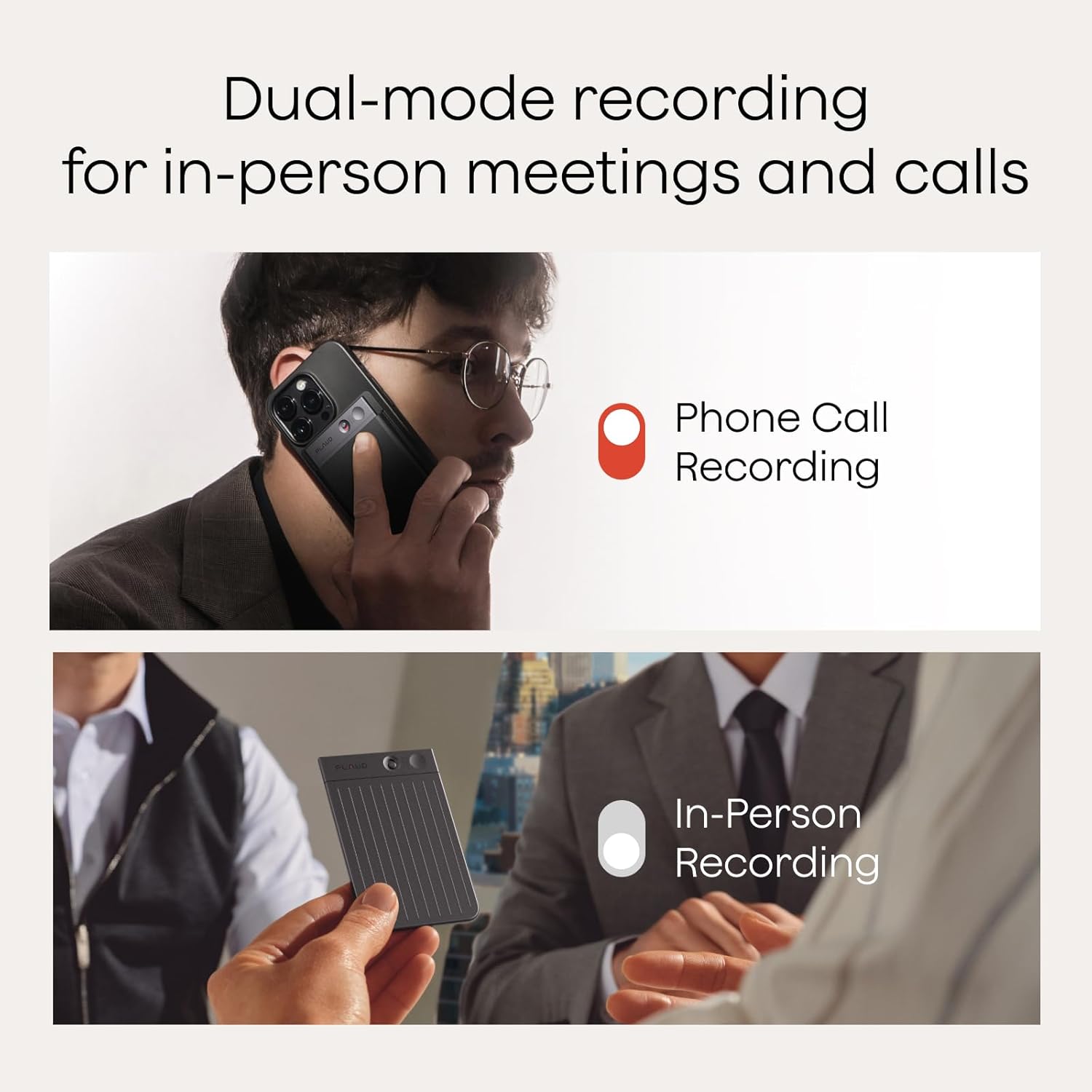
Where dedicated recorders earn their price premium. Devices in the $150–$400 range — the Plaud Note, Sony ICD-TX series at the lower end, and the Otter.ai-integrated hardware dongles at the higher end — offer more physical durability and longer battery endurance than a smartphone running a transcription app. Owners of the Plaud Note card recorder report (across aggregated app store reviews and accessibility forums monitored by disability technology journalists at AbleData) that the minimal button interface is specifically valued by users with limited dexterity. That said, the Plaud Note is cloud-dependent and has raised privacy concerns for clinical use — a point to address with clients before recommending.
For ALS specifically: The ALS Association’s Augmentative Communication guide (updated 2025) recommends pairing a voice recorder with an AAC system rather than treating it as a standalone solution, because voice quality degrades over disease progression. An AI recorder is a bridge tool, not a permanent fix — be transparent with clients and funders about that framing.
Profile 2: Cognitive and Memory Load (TBI, Early Dementia, ADHD, Autism)
The core problem: The person can physically operate the device but struggles to remember to use it, to organize the resulting recordings, or to extract key information from a long transcript.
What to prioritize:
- Searchable transcripts with keyword highlighting
- Auto-summarization (some apps now generate a bulleted summary of the recording alongside the full transcript)
- Calendar/task integration so action items surface in a to-do list without manual extraction
- Simple, low-clutter interface to reduce setup friction
The Understood.org summary of working memory research is directly relevant here: individuals with working memory deficits are more likely to abandon tools that require more than two steps to initiate. A recorder that requires opening an app, navigating to a session, naming the file, and pressing record is functionally inaccessible for this profile even if it works perfectly once running.
Otter.ai and Fathom (primarily a meeting-recorder) have auto-summarization built into their current subscription tiers. The ATIA resource library on cognitive AT notes that summarization — not just transcription — is the feature that most directly reduces downstream cognitive load for people with acquired brain injury. If a practitioner is recommending a tool for this profile, the question to ask the vendor is: “Does your summary output action items separately from informational content?” Most don’t, yet.
Cost note: Otter.ai’s Pro plan runs approximately $16.99/month as of early 2026; Fathom’s team tier is $19/user/month. Neither is typically covered by Medicaid waiver AT funding as a standalone subscription. If funding is through a state AT program or vocational rehabilitation, a dedicated hardware recorder with one-time cost is easier to justify through the paperwork process than a recurring SaaS subscription — a practical reality practitioners routinely navigate.
Profile 3: Low Vision and Blindness
The core problem: The transcript itself must be accessible. A highly accurate transcription in a poorly designed app with no screen-reader compatibility is not a functional solution.
What to prioritize:
- Confirmed VoiceOver (iOS) and TalkBack (Android) compatibility
- Text output that is navigable by heading, speaker, or timestamp
- Export to accessible formats (plain text, accessible Word, not just proprietary app formats)
Per the American Foundation for the Blind’s (AFB) technology review guidance, many transcription apps fail on this axis specifically because their transcript displays use custom UI elements that screen readers cannot parse. The AFB AccessWorld publication has flagged Otter.ai as partially accessible but noted that speaker-label navigation in the iOS app required workarounds as recently as 2025. This is a fast-moving target — verify current VoiceOver/TalkBack behavior with the client before finalizing a recommendation.
Profile 4: Hearing Loss — Supporting Communication Partners and Self-Advocacy
People with significant hearing loss may use AI transcription not for their own memory support but to access what hearing communication partners are saying in real-time. This use case demands latency (how fast the text appears after speech), not just accuracy.
By the numbers:
| Tool | Typical latency | Offline capable | Dysarthria accuracy |
|---|---|---|---|
| Google Live Transcribe | < 1 second | No | Moderate |
| Apple Live Captions | 1–2 seconds | Partial (on-device) | Low–Moderate |
| Otter.ai (mobile) | 2–4 seconds | No | Low |
| Dedicated recorder (Plaud/Sony) | Post-session only | Yes | Moderate |
Data drawn from published spec documentation and aggregated accessibility reviewer reports (AFB AccessWorld, HLAA Hearing Life magazine tech coverage, 2025).
For live communication access, app-based tools like Google Live Transcribe or Apple Live Captions outperform dedicated recorders because recorders typically don’t surface text until after recording ends. The Hearing Loss Association of America (HLAA) has consistently noted in its Hearing Life publication that real-time display tools and after-the-fact transcription recorders serve different functional needs and should not be conflated in recommendations.
Funding and Justification: The Paperwork Reality
Most AI voice recorders fall in the $0–$400 range, which sounds modest until you realize that Medicaid AT coverage, VR funding, and school district AT budgets all require explicit functional justification tied to a qualifying disability and a documented unmet need.
Practical framing that holds up in funding documentation:
- Frame it as a cognitive prosthetic (a device that compensates for a cognitive function the person cannot perform reliably without assistance). AOTA’s OT Practice Framework, 4th Edition, explicitly supports this framing for tools that extend functional performance in daily life tasks.
- Tie the recommendation to a specific assessed deficit — not “memory problems” but “inability to reliably retain verbal information from medical appointments, as assessed on [specific cognitive battery].”
- For school-aged students, IEP teams can authorize AT devices under the IDEA’s AT services mandate without requiring a separate funding process if the device is documented as educationally necessary.
Vocational rehabilitation (VR) programs in most states will fund recorders for employment-related use under an Individualized Plan for Employment — and a $200 recorder is a genuinely easy case to make compared to the $3,000+ AAC devices that fill most VR AT caseloads.
The Decision Rule
If your client has primarily physical limitations (motor, fatigue) and needs a set-it-and-forget-it capture device, a dedicated hardware recorder in the $150–$350 range is the right frame — prioritize battery life, button accessibility, and hybrid offline/cloud capability.
If your client has primarily cognitive or memory needs, the app-plus-smartphone stack (Otter.ai Pro or equivalent with auto-summarization) delivers more functional value per dollar, provided the interface onboarding is supported and the funding pathway accommodates recurring subscriptions.
If your client has hearing loss and needs real-time access, skip dedicated recorders entirely — Google Live Transcribe or Apple Live Captions serve the live-communication use case; a recorder is for after-the-fact review only.
And if dysarthric speech is in the picture for any profile: stress-test the specific tool with the specific speaker’s voice before committing. No published accuracy benchmark as of mid-2026 fully covers dysarthric speech at scale. That gap is real, it affects your client, and it belongs in your documentation.