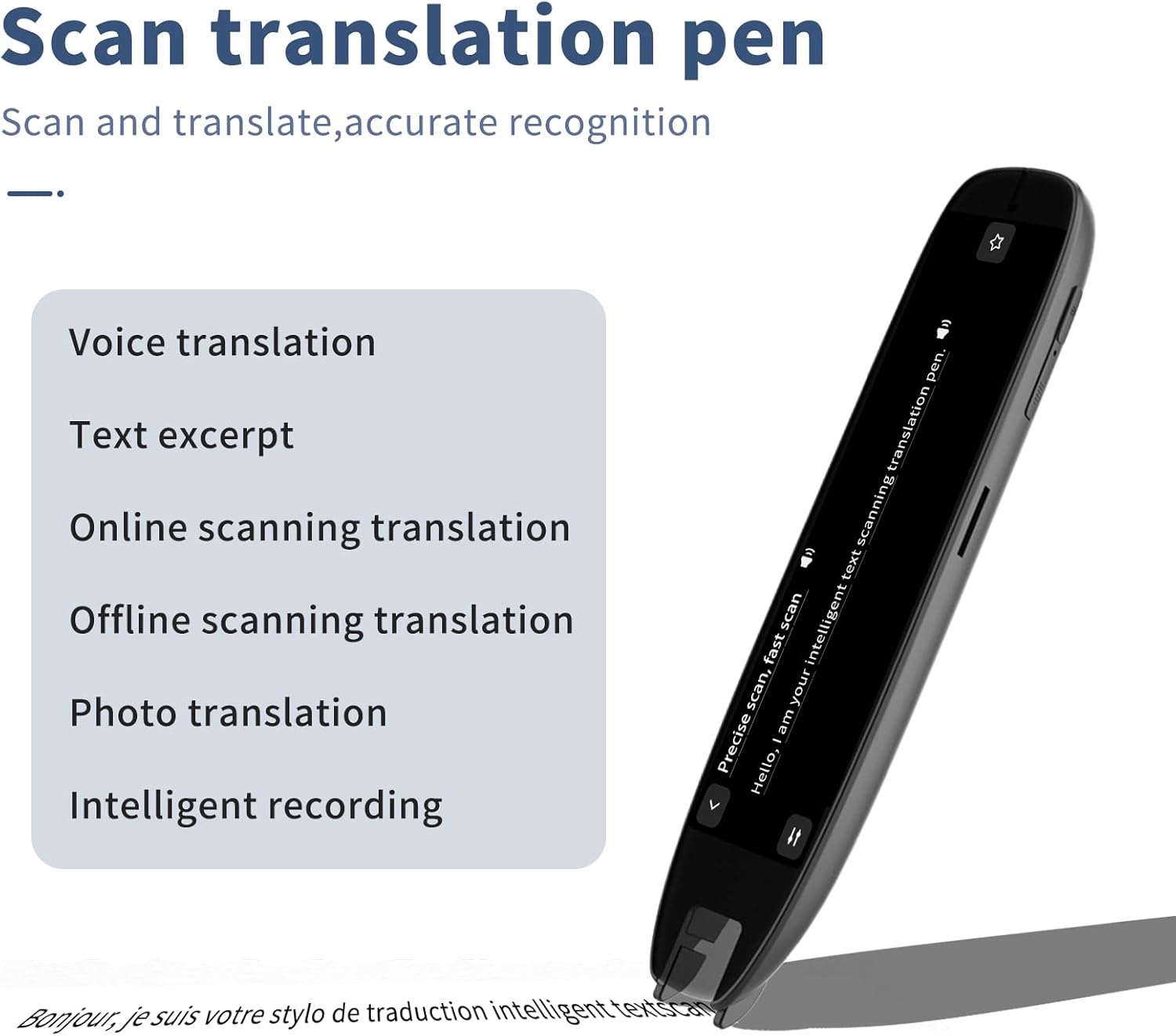
Imagine a high-schooler sitting down to take a standardized test. She knows the material — genuinely knows it — but every paragraph of dense text is a wall she has to batter down before she can even reach the question. She’s been diagnosed with dyslexia, a common learning difference that affects how the brain processes written language (making decoding words effortful, even when comprehension and intelligence are completely intact). Her school just approved a scan-and-read pen: a handheld device, roughly the size of a highlighter, that she drags across a line of text. The pen scans the words, converts them to digital text using OCR (optical character recognition — essentially a camera plus software that “reads” printed letters), and speaks them aloud through an earpiece. For many learners, that’s the ramp that finally makes the page accessible. For others, the same pen sits in a drawer after two weeks. This guide is for the practitioners and informed buyers who need to figure out which outcome is more likely — and why the spec sheet almost never predicts it.
| EDITOR'S PICK[Scan Translation Pen - 142 Lang…](https://www.amazon.com/dp/B0G8JX9DRZ?tag=greenflower20-20) | Mid-tier[SVANTTO 4-in-1 Translator Pen](https://www.amazon.com/dp/B0CLY2H598?tag=greenflower20-20) &… | Budget pick[Scan Translator Pen](https://www.amazon.com/dp/B0FYG5PZ5B?tag=greenflower20-20) | |
|---|---|---|---|
| Languages | 142 | 102 | 142 |
| Offline languages | 10 | — | 10 |
| Modes | Speech/Scan-to-Text | OCR, TTS, Notes, Voice | Text to Speech |
| Price | $62.99 | $49.99 | $39.99 |
| See on Amazon → | See on Amazon → | See on Amazon → |
Why the Spec Sheet Lies (or at Least Omits)
Marketing materials for scan-and-read pens compete on a short list of numbers: words-per-minute scan speed, number of supported languages, dictionary definitions included, battery life. Those numbers are real, but they answer the wrong questions for most of the learners you’re supporting.
Here’s what the spec sheet typically won’t tell you:
OCR accuracy on real-world documents. Lab-condition accuracy — clean, 12-point serif font on white paper — is routinely cited in the 98–99% range for leading devices. But your student isn’t scanning a laser-printed worksheet. They’re scanning a photocopied workbook page with skewed columns, a textbook with cream-colored paper and tight gutters, or a low-contrast printed permission slip. ATIA’s 2024 conference proceedings on AT for reading and literacy flagged real-world OCR degradation on non-standard print as one of the top unmet accuracy challenges in the category. A missed word every three lines is annoying; a misread word in a math problem or science passage can actively mislead.
Audio quality and earpiece fit. Most pens ship with a single earbud. Across aggregated user reviews on retail platforms and in parent-reported outcomes documented by Understood.org, the earpiece is one of the most consistently cited failure points — not the pen itself. A poor seal means the learner has to re-scan in noisy environments. A hard-plastic ear tip causes fatigue during a two-hour exam block. These are not fixable by firmware update.
Latency and the learning curve. Published specs don’t distinguish between time-to-first-word and total sentence processing time. For learners with attention difficulties alongside dyslexia — a common co-occurrence — a pen that takes two seconds to begin speaking after a scan can be cognitively disruptive enough to break reading flow. Owners of the C-Pen Reader 2 consistently report faster response times than comparable devices in its price tier; owners of certain lower-priced alternatives frequently note a perceptible lag that was disorienting at first, though many adapted within a few weeks.
Physical ergonomics. Pen weight matters more than almost any single spec. The C-Pen Reader 2 is manufacturer-rated at approximately 45g. Some competitors sit closer to 60–70g. Over a 90-minute reading session, that difference is meaningful — particularly for users with motor fatigue, low muscle tone (common in some presentations of cerebral palsy), or younger children who haven’t developed sustained grip endurance. No spec sheet lists “hand fatigue onset time.”
The Real Decision Matrix: Matching Pen to Learner Profile
Rather than ranking pens by spec, it’s more useful to organize the decision around functional profile. Here’s a working framework:
Profile 1: Fluent Decoder, Fluency Fatigue
This learner can decode print but exhausts quickly — reading is effortful enough that comprehension collapses by the middle of a longer passage. They need a pen that keeps pace with their reading speed and produces clean audio with minimal re-scans.
Decision weight: OCR accuracy on real documents is the primary variable. A pen that requires three scans of the same line breaks the flow benefit entirely. The C-Pen Reader 2 (street price approximately $200–$230 in mid-2026) and the OrCam Read (approximately $1,900 for the full device — a different category discussed below) are the two devices most consistently cited in this profile in practitioner forums and ATIA session discussions. For most school budgets, the C-Pen Reader 2 is the practical anchor.
Profile 2: Severe Decoding Deficit, Younger Learner
This learner needs every word spoken — they cannot rely on scanning just problem areas. They may also have co-occurring attention or processing speed differences. A pen that adds cognitive load (complex menus, inconsistent scanning angles, poor audio) will be abandoned.
Decision weight: Simplicity of interaction loop and earpiece quality matter as much as OCR. The Scanning Pens ExamReader (approximately $175–$200) is specifically designed for exam use and has a stripped-down interface that reduces the decision points during a scan. AOTA’s guidance on assistive technology selection emphasizes reducing “interaction overhead” as a key criterion when motor, cognitive, and sensory demands are already high — this pen’s interface philosophy aligns with that principle.
Profile 3: Multilingual Learner or ELL Student
The supported-languages spec finally matters here — but even then, the question isn’t just “does it list my language?” It’s whether the text-to-speech pronunciation engine for that language is intelligible. A pen that lists 40 languages but uses a robotic synthesis for Spanish or Mandarin creates more barriers than it removes.
Decision weight: Verified TTS quality in the target language. The C-Pen Exam Reader 2 (a sibling to the Reader 2, designed specifically for standardized-exam access) supports 40+ languages, and practitioner reports in bilingual special education settings are generally positive for major European languages; reviews in languages with complex tonal systems are more mixed. AbleData’s product database notes language support but does not independently evaluate synthesis quality — this is a gap where practitioner networks and disability-specific forums carry more practical intelligence than any database.
Profile 4: Adult Learner in Workforce or Higher Education
Adults typically have more motor control and can tolerate a more feature-rich device — but they’re also less willing to look conspicuous. A pen that looks like a medical device creates stigma barriers. Discreet form factor and Bluetooth earpiece compatibility become meaningful.
Decision weight: Bluetooth audio output (not all pens support it), form factor, and whether the device is approved for use in relevant credentialing exams. The UK’s Joint Council for Qualifications (JCQ) has published exam-access guidelines that specifically list approved reading pen models; the US College Board and ACT have their own accommodation processes that practitioners should verify directly with those bodies for the current exam cycle.
By the Numbers: Mid-2026 Pen Tier Snapshot
| Device | Approx. Street Price | Key Differentiator | Reported Weakness |
|---|---|---|---|
| C-Pen Reader 2 | $200–$230 | Fast response, strong OCR | No Bluetooth audio |
| Scanning Pens ExamReader | $175–$200 | Minimal interface, exam-focused | Fewer dictionary features |
| OrCam Read (full device) | ~$1,900 | Hands-free, button-activated | Price; different AT category |
| Pen-Friend 3 (RNIB) | ~$75–$90 | Audio labels, not OCR | Not a scanning pen; different use case |
Note: The OrCam Read belongs in a different purchasing conversation — it’s a proximity-scan device worn or held near the page, not dragged across text, and its funding pathway (often DME or vision AT funds) differs from the sub-$300 pen tier. RNIB’s Pen-Friend 3 is listed here only because it appears in the same search results and creates buyer confusion; it records audio labels onto stickers rather than scanning print.
Funding Pathways: The Conversation Practitioners Often Skip
For school-aged learners, scan-and-read pens fall clearly within the assistive technology provisions of IDEA (Individuals with Disabilities Education Act). They should be documented in the IEP (Individualized Education Program) as a specific device — not just “reading support technology” — because vague language creates procurement ambiguity and sometimes leads to the district purchasing an inadequate alternative. AOTA’s guidance on AT documentation recommends naming the device, model, and rationale tied to the student’s functional profile.
For adult learners in higher education, Section 504 of the Rehabilitation Act and the ADA require reasonable accommodations, but the institution is not obligated to provide a specific device. Vocational Rehabilitation (VR) funding, administered state-by-state under the Workforce Innovation and Opportunity Act (WIOA), is the more reliable pathway for adults — and at $200–$230, even the top-tier pen in this category typically clears the VR cost-threshold without extraordinary justification. Practitioners should document the functional need (reading speed, error rate, fatigue onset) using standardized reading assessments rather than diagnosis alone; VR counselors respond better to functional limitation data than diagnostic labels.
Private insurance rarely covers these devices, and FSA/HSA eligibility is murky — the IRS requires that the expense be for a diagnosed medical condition, which dyslexia can qualify as, but reimbursement practices vary by plan. Worth asking; not worth counting on.
The Tradeoffs No One Likes to Name
Every device in this category involves a real tradeoff, and practitioners who don’t name them explicitly set up their clients for disappointment:
Independence vs. accuracy. The more the learner can do independently with the pen, the less scaffolding is involved — but accuracy on non-standard print declines without technique. Learners who scan too fast, at an angle, or across two columns of text get garbled output. A period of coached practice isn’t optional; it’s part of the implementation. Understood.org’s guidance on AT implementation consistently emphasizes that device adoption rates are significantly higher when structured trial periods are built into the accommodation plan rather than treated as self-evident.
Accommodation visibility vs. access. In a standardized-test environment, using a pen with an earpiece is visible to peers. For some students this is irrelevant; for others — particularly adolescents navigating identity and stigma — it’s a reason the device stays in the bag. This is not a clinical variable but it is a real adoption variable, and it deserves an explicit conversation during the assessment process.
Feature richness vs. cognitive load. Dictionary definitions, word-by-word mode, translation features — these are valuable for some learners and noise for others. A pen with a menu that takes three button presses to activate scan mode creates a decision-making demand every single time. For learners with executive function challenges, simpler is often more effective.
If X, Then Y: Decision Rules for the Current Decision
-
If the learner is school-aged, has a documented reading disability, and the IEP team is evaluating for exam access: Start with the Scanning Pens ExamReader or C-Pen Reader 2. Document functional need with reading fluency data. Name the device in the IEP.
-
If the learner is multilingual and the target language is a major European language: C-Pen Reader 2 or Exam Reader 2 is the more defensible choice based on practitioner-reported TTS quality. Build in a 30-day trial before finalizing the accommodation plan.
-
If the learner is an adult using VR funding: The C-Pen Reader 2’s price point clears most VR thresholds with minimal paperwork. Pair the purchase request with functional assessment data, not diagnostic label alone.
-
If the budget is under $150 and accuracy on standard print is sufficient: The Scanning Pens ExamReader can be sourced in that range from authorized distributors. Expect to invest time in scanning-technique coaching.
-
If you’re seeing a mismatch between the device’s capability and the learner’s adoption rate after 30 days: Per ATIA’s 2024 literacy AT proceedings, non-adoption is more often an implementation gap than a device-fit error. Audit the earpiece, the scanning environment, and the technique before concluding the device is wrong.
The spec sheet gives you a starting point. The learner’s functional profile, environment, and tolerance for interaction overhead give you the answer.