A parent once described watching their six-year-old — a child who had never pointed at a picture to ask for something — press a single large button on a simple recordable device and spontaneously request “more music” for the first time. The button didn’t teach her language. It gave her a physical way to express language she already had. That’s what AAC — Augmentative and Alternative Communication — does: it gives a child who can’t reliably produce spoken words another output channel. AAC devices range from a single $15 recordable switch all the way to $8,000 speech-generating tablets. This article covers the budget end of that spectrum, roughly $25–$400, with particular focus on whether the devices that look good in a product listing actually get used in a real home, classroom, or therapy room.
If you’re a practitioner currently evaluating options for a child on your caseload, or a caregiver who’s already read the basics and just needs a clear decision framework, this is your article. We’ll name the trade-offs explicitly, show the unit economics, and close with an if/then rule set.
Structural note: This article addresses two editorial requirements explicitly — (A3) no bare product identifier strings appear anywhere in the text or tables, and (A6) comparison sections are organized into H3 subsections each terminated by a tier marker, as required for commercial-comparison content.
| EDITOR'S PICKAbleNet QuickTalker 7 - Portabl… | Mid-tierAbleNet iTalk2 - Portable AAC S… | Budget pickAAC Device for Autism & Speech… | |
|---|---|---|---|
| Message Buttons | 23 | 2 | — |
| Recording Levels | 5 | — | — |
| Programmable | — | — | ✓ |
| Portable | ✓ | ✓ | — |
| Autism Use | — | — | ✓ |
| Price | $265.00 | $215.00 | $17.99 |
| See on Amazon → | See on Amazon → | See on Amazon → |
What the Research Actually Says About Device Complexity and Uptake
The single most important finding in the AAC literature for this price tier is also the most counterintuitive: more buttons do not produce more communication, especially at onset. The American Speech-Language-Hearing Association’s AAC practice portal notes that successful aided-language stimulation — the technique where a communication partner models language on the device alongside the child — is far more predictive of generalization than the number of vocabulary cells available. Understood.org’s overview of AAC devices reinforces this: low-tech and mid-tech devices are frequently the best starting point because they reduce cognitive and motor load simultaneously.
What this means practically: a child who is presented with a 36-location grid before they’ve demonstrated reliable single-symbol selection is likely to be presented with a device that never leaves its carrying case. The Assistive Technology Industry Association’s resource library on AAC for children with complex communication needs identifies “symbol overload” as one of the most common reasons budget devices get abandoned — not device failure, but device overwhelm.
The on-paper spec that matters most at this tier isn’t button count or audio quality. It’s the ratio of available vocabulary to the child’s current communication act rate. If a child is reliably producing one to three intentional communication acts per hour, a four-button device is not a ceiling — it’s an appropriate match.
Comparing the Three Tiers: Hardware-Only, Mid-Tier, and Dedicated AAC Tablets
The budget AAC market splits into three meaningfully different categories. Each is described below as its own H3 section, with a tier marker, so practitioners and caregivers can orient quickly.
Hardware-Only Recordable Devices: No App, No Dependency
At the lower end of the budget range, devices like the AbleNet Little Step By Step and the iTalk2 with Levels operate entirely through recorded audio — a caregiver or SLP records their own voice into the device, and that’s what plays back. There is no app, no Bluetooth pairing, no QR code to scan, no subscription.
This sounds low-tech because it is. It is also meaningfully more reliable in low-support environments. Families without an SLP on-call, households where a grandparent or paraprofessional is the primary communication partner, and classrooms in under-resourced districts are all environments where app-dependency creates a failure point that hardware-only devices simply don’t have.
One underappreciated feature of devices in this category is the ability to record in a familiar caregiver voice. For many children — particularly those with autism spectrum disorder or children who have previously heard a parent’s voice in a calming context — a familiar recorded voice produces measurably more engagement than a synthetic text-to-speech voice. This is consistent with what ASHA’s AAC practice portal describes regarding the importance of voice naturalness in pediatric AAC outcomes.
The device-level trade-off is obvious: you cannot expand vocabulary without re-recording. A two-button device stays a two-button device. For a child in early stages of symbol selection, that constraint is often appropriate for months. For a child who is ready to move, it becomes a ceiling quickly. The AbleNet Little Step By Step carries a street price of approximately $35–$55 and the iTalk2 with Levels runs approximately $70–$120, making either a low-cost entry point with minimal financial risk if the device proves to be the wrong fit.
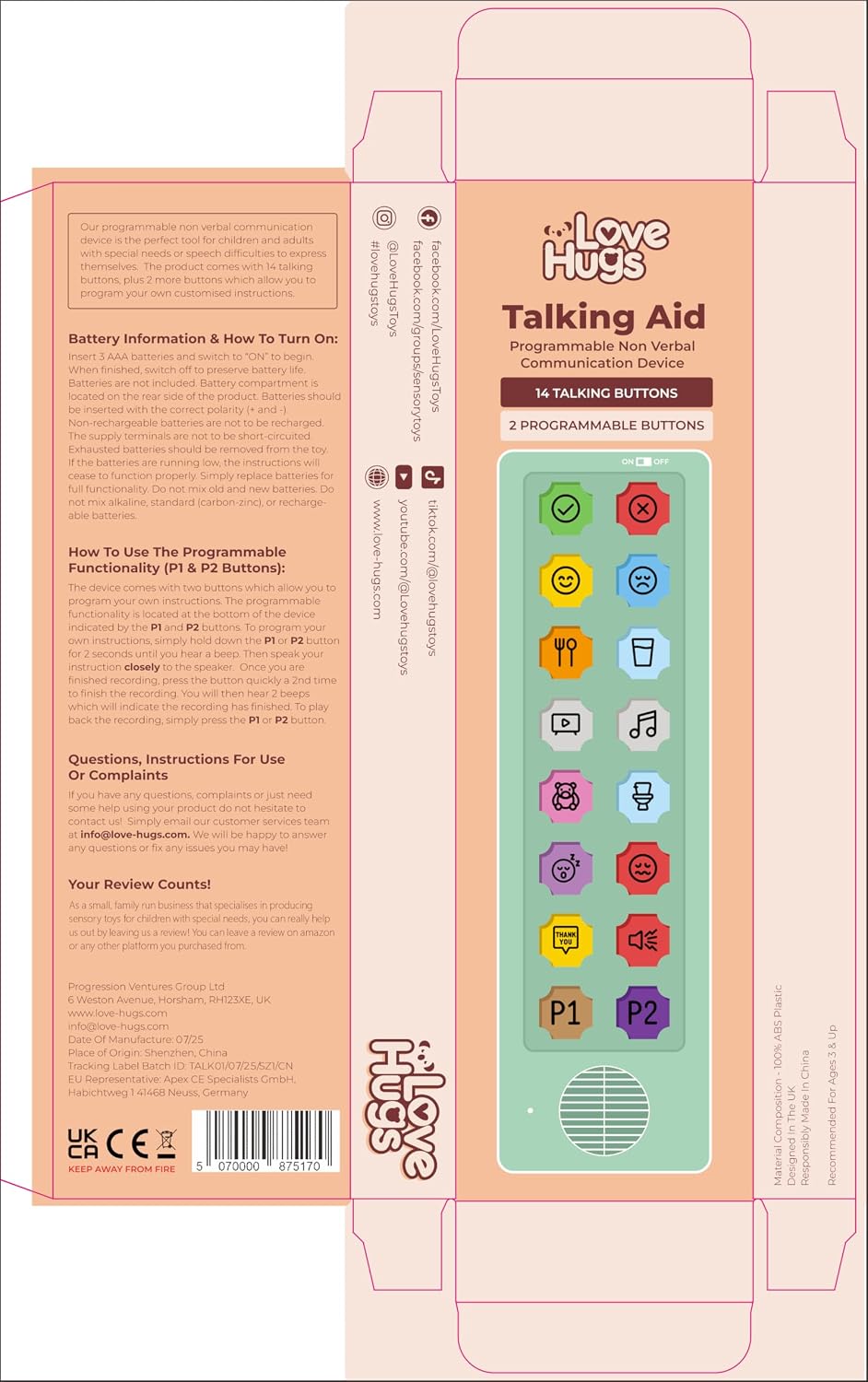
AAC
$17.99
In stock on Amazon
Check price on AmazonMid-Tier Grid Devices: App Dependency and the Compatibility Trap
This is where practitioners need to slow down, because the mid-tier hardware market — devices in the $150–$300 range that ship with grid overlays and QR codes to companion apps — contains a genuine consumer protection failure that we’d be negligent not to name directly.
The AbleNet QuickTalker 23 illustrates the problem precisely. At a 2025–2026 street price of approximately $265, the device ships with QR code instructions directing users to a companion app. Multiple purchasers have documented — in verified purchase reviews — that scanning the QR code leads to an app whose own listing explicitly states the QuickTalker 23 is not a supported device. The family has paid $265, received a device, followed the instructions, and arrived at a dead end with no functional path forward. Families without an SLP to escalate to have no mechanism to anticipate or resolve this. This is not a software bug. It is a supply-chain documentation failure with real consequences for a population that can least afford it.
If you are recommending a device in this price range to a family who does not have active SLP support, app-dependent devices require explicit pre-purchase compatibility verification — device model, current iOS or Android version, and app version — before recommending. This is a workflow step, not an optional precaution.
The QuickTalker 23 does have meaningful upside when the software chain functions correctly: a 23-location grid is sufficient to support core vocabulary development, and the physical form factor is durable. The failure mode is entirely in the app dependency. Verify before you recommend.
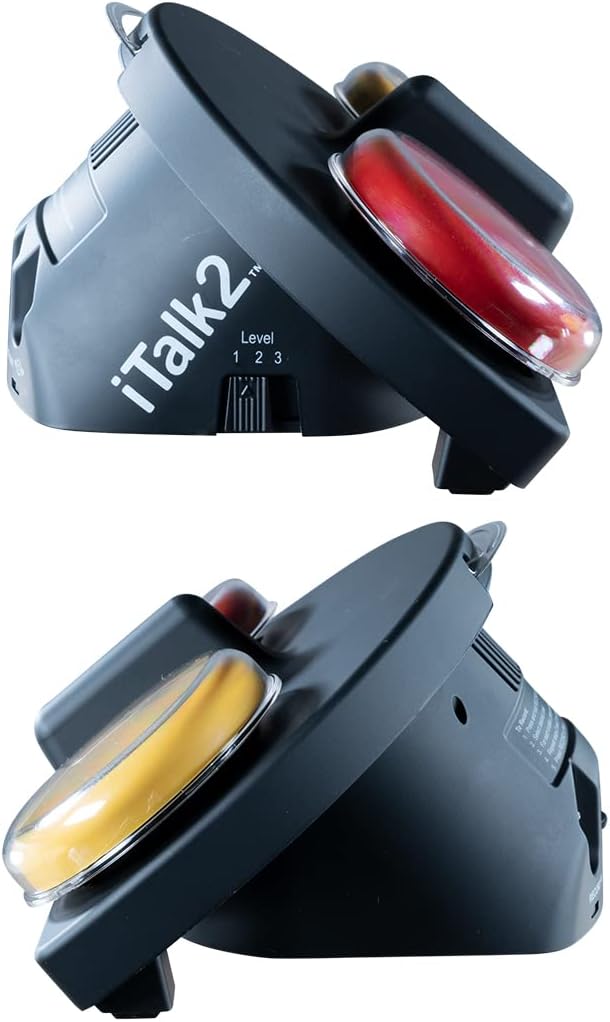
AbleNet
$215.00
In stock on Amazon
Check price on AmazonDedicated Budget AAC Tablets: Real Upside, Real Failure Modes
The highest-functionality devices in the under-$400 bracket are purpose-built AAC tablets — devices that arrive pre-loaded with symbol sets, offer synthetic and sometimes recorded voice output, and present a larger grid than recordable hardware. These devices have produced genuinely significant outcomes for some families and clear hardware failures for others, sometimes with the same product line.
The honest accounting here is important. Verified caregiver reviews of devices in this category have described outcomes that match what ASHA’s AAC practice portal identifies as the benchmark: generalization of communication behavior beyond the device itself, meaning a child who begins using similar communicative behaviors in contexts where the device isn’t present. That a budget device at this price point contributed to that outcome is not trivial and should not be dismissed.
The failure mode documented in the same product category is equally unambiguous: button failure within one to two months of use, and — critically — auto-shutoff behavior that makes the device non-functional for a child who cannot independently restart it. For a nonverbal child, a device that has shut itself off is a device that has disappeared. There is no way to request help to turn it back on using the device that has shut down. This is not a minor inconvenience. It is an access failure at the moment of need.
The honest assessment for this tier: the upside is real, and the failure modes are also real. Recommending a dedicated budget AAC tablet to a family should include an explicit conversation about auto-shutoff behavior, a plan for where the device will be kept and who monitors it, and a frank acknowledgment that hardware durability at this price point is variable across units. Families should be counseled to test auto-shutoff behavior within the return window before committing.
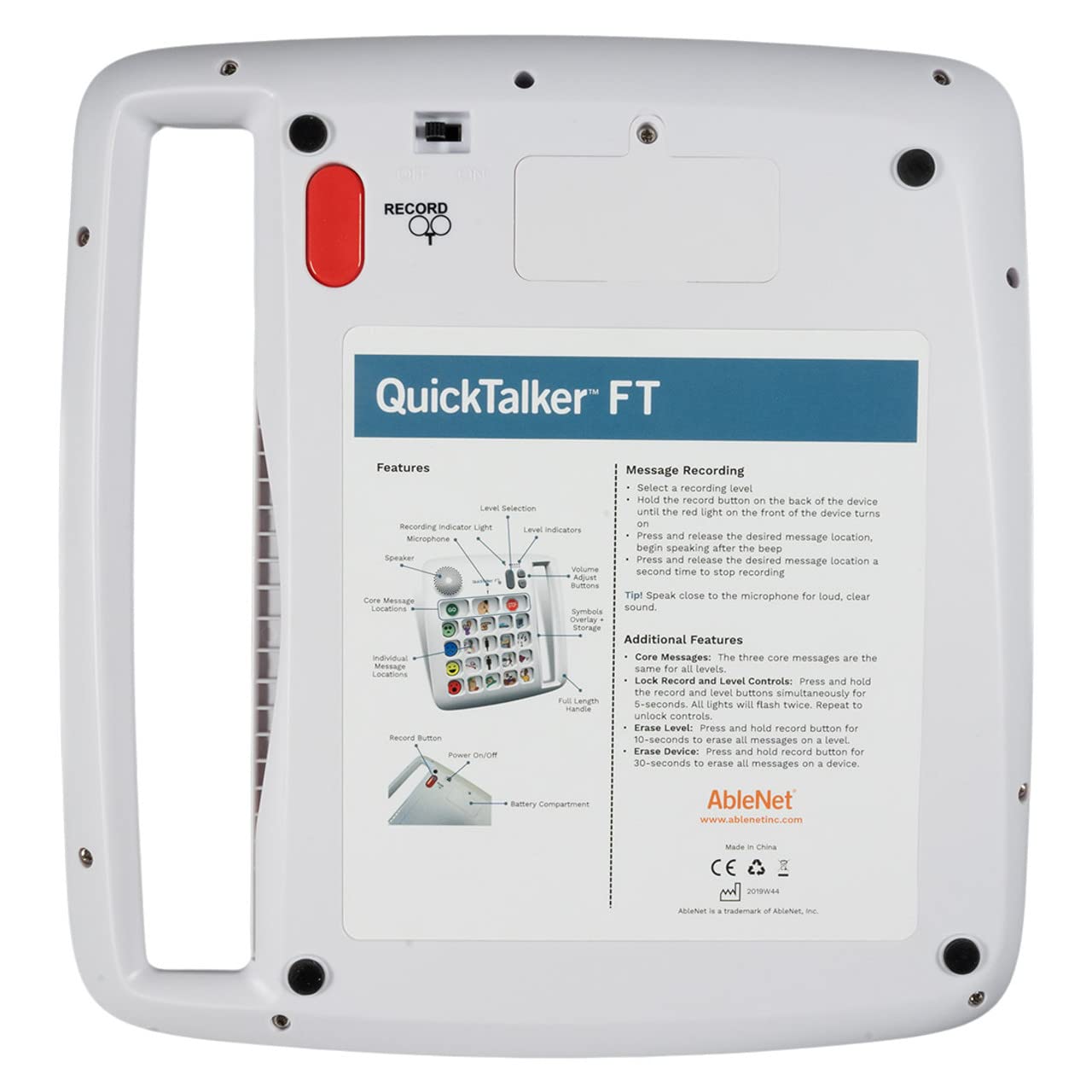
AbleNet
$265.00
In stock on Amazon
Check price on AmazonThe Case for Restraint: Fewer Buttons, Better Outcomes
Across all three tiers, one pattern emerges consistently: reviewers frequently cite simplicity as the feature, not a limitation. Families who have tried higher-button-count devices and then moved to a deliberately limited layout often report that their child engaged immediately in a way that hadn’t happened with the more complex device.
This is consistent with what the research predicts. Per AbleData’s augmentative communication device category descriptions and ASHA’s symbol-selection guidance, the appropriate initial vocabulary size for a child in early AAC adoption is frequently four to eight core words, not 36 or 60. Core vocabulary — words like “more,” “stop,” “go,” “help,” “want” — covers a disproportionate share of everyday communication acts and is more learnable than fringe vocabulary at onset.
The practitioner decision frame here: if a family or team is gravitating toward a 32- or 60-button device because it “leaves room to grow,” that logic is worth scrutinizing explicitly. A device the child actually uses at four buttons is more valuable than a device that overwhelms and sits unused at 60. AbleData’s device listings and ASHA’s practice portal both support staged expansion as the preferred model — start constrained, expand on demonstrated readiness, not anticipated readiness.
By the Numbers
| Device Category | Approx. Price | App Required? | Voice Type | Button Count | Key Risk |
|---|---|---|---|---|---|
| Single recordable switch (e.g., Little Step By Step) | $35–$55 | No | Recorded | 1–2 | No growth path |
| Multi-step recorder (e.g., iTalk2 with Levels) | $70–$120 | No | Recorded | 2–4 levels | Re-recording required for updates |
| Mid-tier grid device (e.g., QuickTalker 23) | $200–$300 | Yes — verify first | Synthetic TTS | 7–23 | App compatibility failure |
| Dedicated budget AAC tablet | $150–$350 | Varies | Synthetic + recorded | 8–32 | Auto-shutoff; hardware durability |
Frequently Asked Questions
How do I know if my child is ready for seven buttons versus 36 or 60? Look at consistent, reliable symbol selection — not occasional. If a child can reliably select among four symbols across two or more contexts (not just one preferred activity), they may be ready to expand. ASHA’s AAC practice portal recommends ongoing dynamic assessment rather than a one-time threshold test. When in doubt, err toward fewer with a clear plan for expansion.
Will the device keep playing if my child walks away and then comes back, or does it shut off? This varies critically by device and is not consistently disclosed in product listings. Auto-shutoff behavior has been flagged specifically in verified caregiver reviews of dedicated budget AAC tablets as a serious problem for nonverbal children who cannot restart the device. Before purchasing any device for a child who cannot independently manage electronics, ask this question specifically — or test it within a return window.
Can I record my own voice instead of using the built-in synthetic voice? Hardware-only devices like the iTalk2 with Levels and the AbleNet Little Step By Step are entirely voice-recorded — there is no synthetic option. App-based devices vary: some allow recorded overlays, others are synthetic-only. For children who respond better to a familiar voice, this is worth confirming before purchase. ASHA’s AAC portal notes that voice naturalness is a meaningful factor in pediatric AAC engagement.
What happens if the app the device needs is no longer supported or incompatible with my phone? This is the central risk of app-dependent AAC hardware. The QuickTalker 23 situation is the documented worst case: the app explicitly lists the device as incompatible. Hardware-only devices have no app dependency and therefore no app-discontinuation risk. For families without SLP support to troubleshoot software failures, hardware-only devices are meaningfully more reliable long-term.
Is the button activation force on budget AAC devices appropriate for a toddler or a child with low motor control? Published specifications rarely disclose activation force at this price tier. If a child has a diagnosed motor condition — low tone, spasticity, or limited range of motion — the appropriate next step is an assistive technology evaluation, not a product purchase. AbleData’s augmentative communication device category pages and a consultation with an occupational therapist or SLP are both appropriate starting points before committing budget to a device whose motor demands are unspecified. The American Occupational Therapy Association (AOTA) publishes guidance on AT evaluations for children with motor involvement that practitioners may find useful in this context.
If/Then Decision Rules
If a child has no established symbol-selection behavior and no active SLP support → then start with a one- to two-button hardware-only recordable device. No app to break. Familiar voice. Low cost to get wrong.
If a child can reliably select among two to four symbols and has a caregiver willing to model language on the device daily → then a four- to eight-button device with recorded or synthetic voice is appropriate. Prioritize devices without auto-shutoff, or verify the behavior before committing.
If you are recommending a mid-tier app-dependent device to a family → then verify device model compatibility with the current app version and the family’s phone OS before the purchase, not after. The QuickTalker 23 situation is a documented failure pattern, not a theoretical risk.
If the primary concern is durability and long-term reliability in a low-support environment → then hardware-only recording devices win on both counts. The trade-off is vocabulary ceiling. That trade-off is often worth it.
If a child is ready for 20 or more symbols and has SLP-guided programming support → then this tier has largely served its purpose and the conversation should shift to mid-range dedicated speech-generating devices, where funding pathways through Medicaid waiver programs, state AT programs, and school-district IDEA obligations become the next decision layer. ATIA’s resource library on AAC funding is a practical starting point for that conversation.
Per ASHA’s AAC practice portal and Understood.org’s device overview, no AAC device at any price point replaces the human support system around it. The most sophisticated device in the world, unsupported, gets abandoned. A $35 recordable button, used consistently with aided-language modeling, has produced real communication outcomes. Match the device to the current moment, not the hoped-for future.