Imagine your mother calls to say she can no longer read her prescription labels. Her low vision clinic has recommended a CCTV reader — a desktop video magnifier — at just over $600, and she’s on a fixed income. You look it up, feel the sticker shock, and start wondering whether there’s something smaller, cheaper, and just as useful sitting on her kitchen table. That question — “is there a real alternative to the clinic-recommended device?” — is where most people land before they find their way to pocket video magnifiers.
A pocket video magnifier is exactly what it sounds like: a handheld device, roughly the size of a thick smartphone, with a built-in camera that projects a magnified image onto a small screen. The person holds it over printed text — a check, a food label, a newspaper — and sees an enlarged, often high-contrast version of that text on the display. For people with age-related macular degeneration (AMD), a condition that damages the central field of vision and makes fine detail progressively harder to see, these devices can restore a meaningful degree of reading independence. Screen sizes in this category run from about 3.5 inches diagonally up to 5 inches — smaller than a tablet, larger than a matchbox, and genuinely pocketable.
This article is written for practitioners — OTs, SLPs, and low vision coordinators — who are actively fielding questions about whether these devices belong in a recommendations list alongside clinic-grade equipment. We’ll name the tradeoffs explicitly, show the cost math, and give you a clear decision framework at the end.
| EDITOR'S PICKDigital Magnifier 5 Inch | Mid-tierEyoyo Portable Digital Magnifie… | Budget pick3.5" Portable Digital Magnifier | |
|---|---|---|---|
| Screen size | 5 in | 5.0 in | 3.5 in |
| Zoom range | — | 4X-32X | 2X-25X |
| Color modes | 26 | 17 | 8 |
| Brightness lvls | — | 5 | — |
| Auto focus | ✓ | — | — |
| Foldable handle | — | ✓ | — |
| Price | $189.99 | $169.99 | $79.89 |
| See on Amazon → | See on Amazon → | See on Amazon → |
How Pocket Magnifiers Compare to Clinic-Recommended CCTVs
This is the question that drives the category. Reviewers purchasing on behalf of parents with AMD have repeatedly noted paying less than 30% of the price of a clinic-recommended desktop CCTV reader for what they describe as comparable functional performance in daily reading tasks. That’s not a trivial finding.
The American Foundation for the Blind, in its guidance document “Video Magnifiers: What to Know Before You Buy,” notes that the “right” device is determined by the specific reading task, not by device category. Desktop CCTVs offer larger screens and fixed stands, but for someone reading a prescription label standing at a bathroom sink, portability can matter more than screen real estate.
The gap between a $90 pocket magnifier and a $600+ CCTV is real, but the question isn’t whether they’re identical — they’re not. The question is whether the pocket unit covers the actual task list for a specific individual. ABLEDATA, the assistive technology product database maintained by the Administration for Community Living, describes handheld electronic magnifiers as appropriate for “spot reading” tasks: labels, mail, menus, checks. For sustained page-by-page reading of books or newspapers, a larger screen wins. If your client’s primary need is label and document spot-reading, the pocket category deserves serious consideration.
| Device category | Typical price range | Screen size | Portability |
|---|---|---|---|
| Desktop CCTV reader | $500–$2,500+ | 17–24 in. | Fixed |
| Handheld pocket magnifier (3.5–5 in.) | $80–$300 | 3.5–5 in. | Full |
| Standalone tablet with magnifier app | $150–$500 | 8–11 in. | Moderate |
Three Device Tiers: What Each Level Actually Delivers
Understanding where a device sits in the market helps practitioners match the right tool to the right client. The following three tiers reflect the functional differences that matter most for AMD users, not just price points.
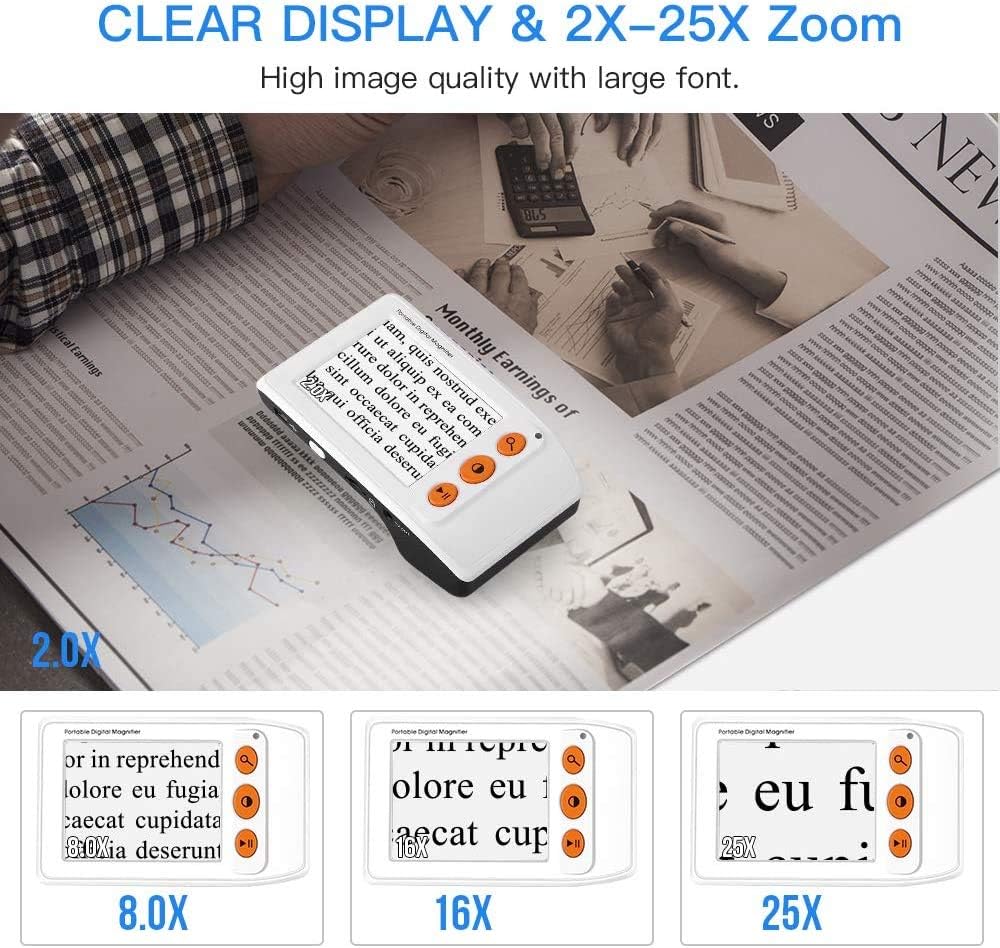
Budget Tier: 3.5-Inch Entry-Level Pocket Magnifiers
Entry-level pocket video magnifiers typically retail between $80 and $130. They offer magnification ranges of roughly 2× to 8×, a small selection of color contrast modes (typically 4–8), and basic USB charging. Screen size tops out at 3.5 inches diagonally.
For a user with mild AMD whose primary task is brief spot reading — checking a pill bottle, reading a price tag, scanning a piece of mail — this tier is often sufficient. The devices are light, genuinely pocketable, and require minimal explanation to operate. The tradeoff is image stability at high magnification: at 7× or 8×, natural hand tremor produces noticeable image shake on a small screen, which can make sustained reading difficult.
Who this tier serves: Clients with mild AMD, brief and infrequent reading tasks, and reliable family or caregiver support for initial setup.
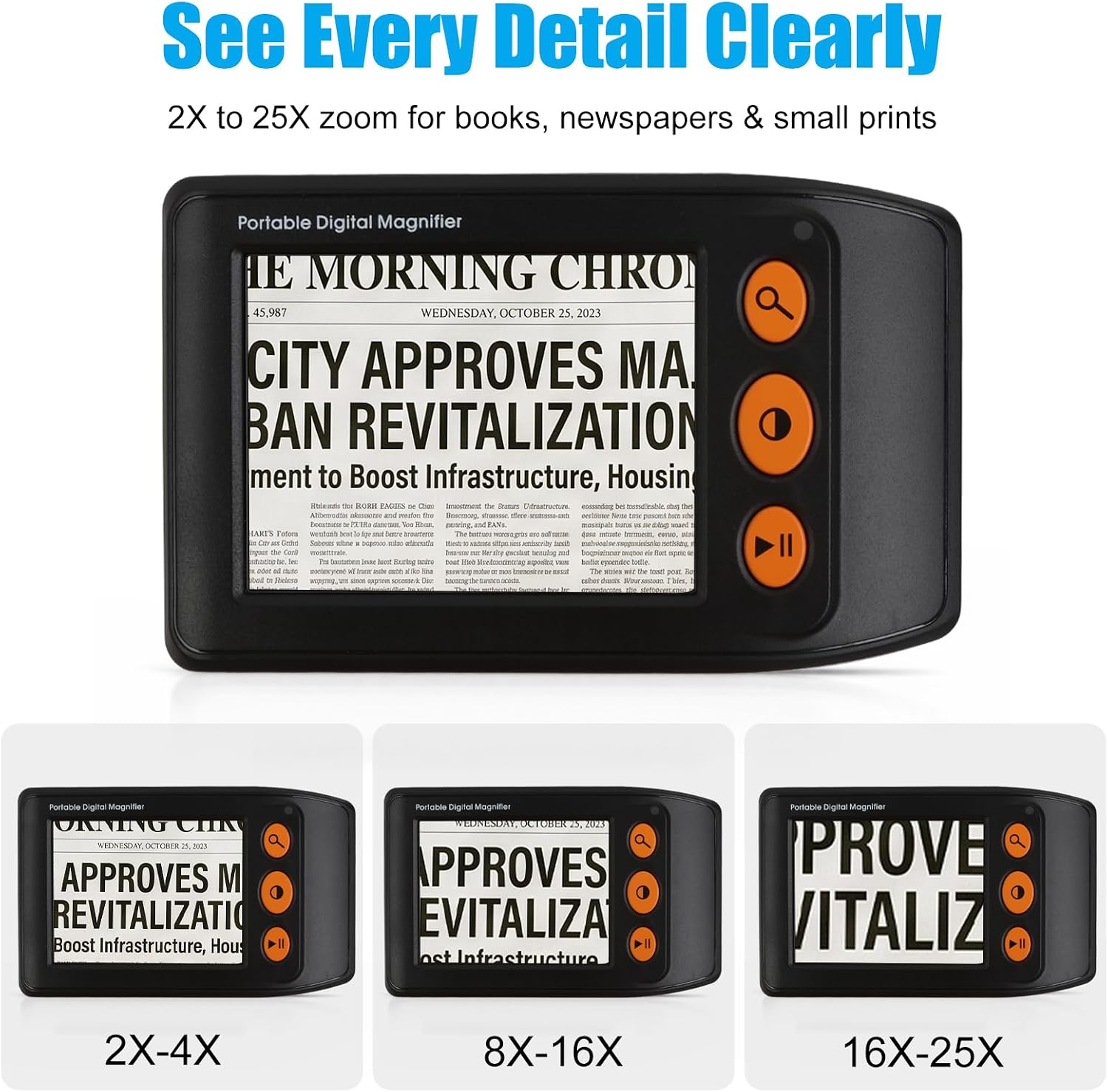
3.5"
$79.89
In stock on Amazon
Check price on AmazonMid-Tier: 4-Inch Screens with Expanded Color Modes
Mid-tier devices, generally priced between $130 and $200, offer slightly larger screens (typically 4 inches), expanded color contrast mode sets (10–16 modes), and improved image processing that reduces motion blur at higher magnification. Many in this range include freeze-frame functionality — the ability to capture and hold a still image on screen — which is particularly useful for users with significant tremor.
The freeze-frame feature deserves specific mention for AMD populations. A user who cannot hold a device steady enough to read at 8× in live-camera mode can capture the image, set the device on a flat surface, and read the frozen frame without tremor interference. Reviewers with moderate AMD and age-related hand tremor have specifically identified this feature as the deciding factor in their purchase.
The American Occupational Therapy Association’s practice guidelines for low vision, titled “Low Vision and Occupational Therapy Practice,” emphasize individualized device assessment — including trialing specific features like freeze-frame — as a component of adaptive technology selection, rather than relying on category defaults.
Who this tier serves: Clients with moderate AMD, any degree of hand tremor, variable lighting conditions across reading environments (kitchen, outdoor, bedroom), or a need for extended spot reading sessions.
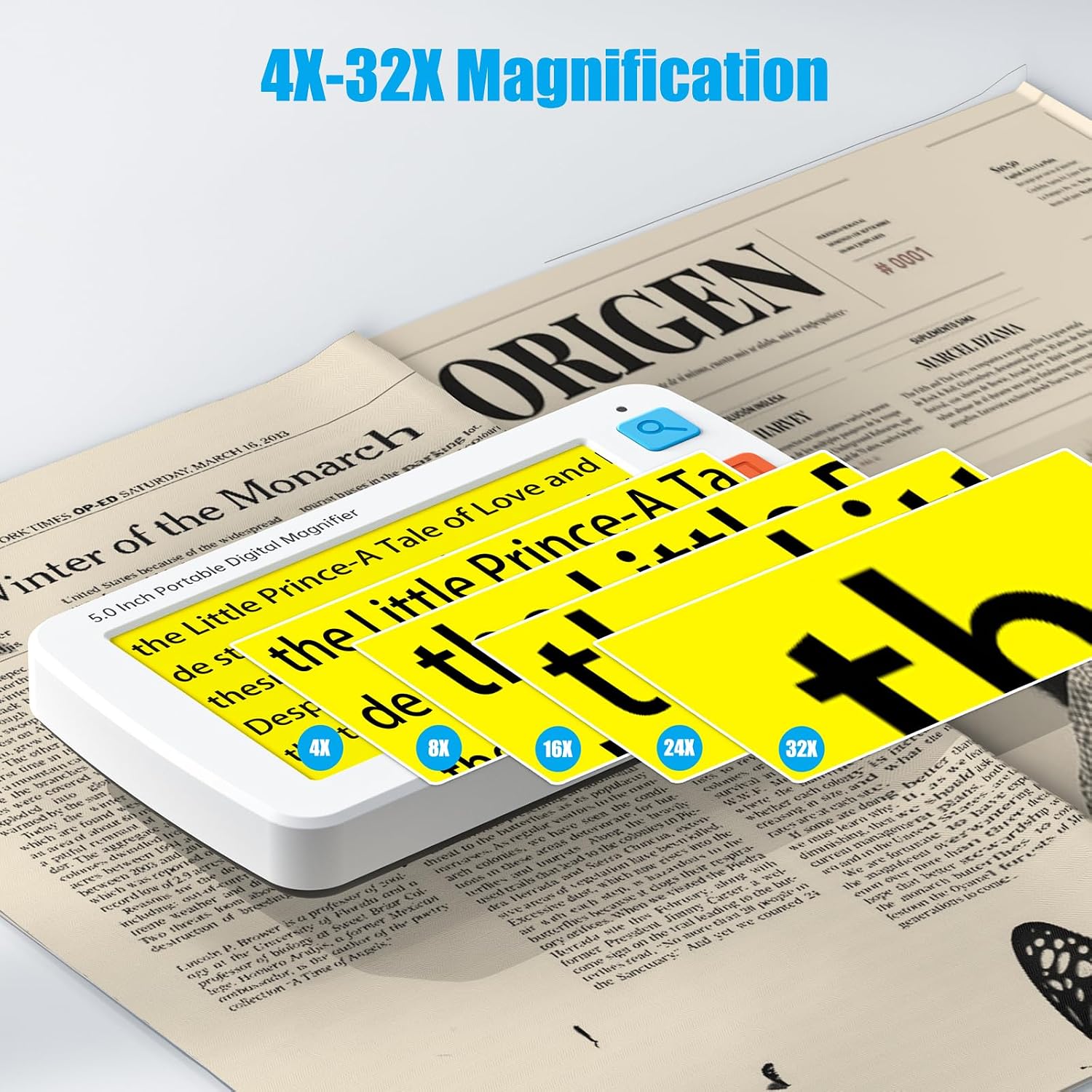
Eyoyo
$169.99
In stock on Amazon
Check price on AmazonPremium Tier: 5-Inch Screens with High-Mode Contrast Sets
Premium pocket video magnifiers in the $200–$300 range offer the largest screens in the category (4.5–5 inches), the widest contrast mode sets (16–24 modes), the highest magnification ceilings (often up to 14× or 16×), and typically the most durable battery architecture. Several models at this tier include USB-C charging, which extends device ecosystem longevity compared to proprietary cables.
The 5-inch screen advantage at high magnification is specifically relevant for moderate-to-advanced AMD. As central vision loss progresses, users who were previously reading at 4× may require 8×, 10×, or higher. At those magnification levels, a larger screen provides more visual context around the target text — the user sees more characters per frame — and hand tremor produces less disruptive image displacement relative to the total display area.
The Royal National Institute of Blind People, in its guide “Choosing a Magnifier: Low Vision Aids Guide,” recommends assessing not just current magnification needs but anticipated future needs when selecting an electronic magnifier, since AMD is a progressive condition. A device that meets current needs at 4× may become inadequate within 12–18 months for a user whose condition is actively progressing.
Who this tier serves: Clients with moderate-to-advanced AMD, high or increasing magnification requirements, significant hand tremor, and any client for whom device longevity and battery durability are financial concerns.
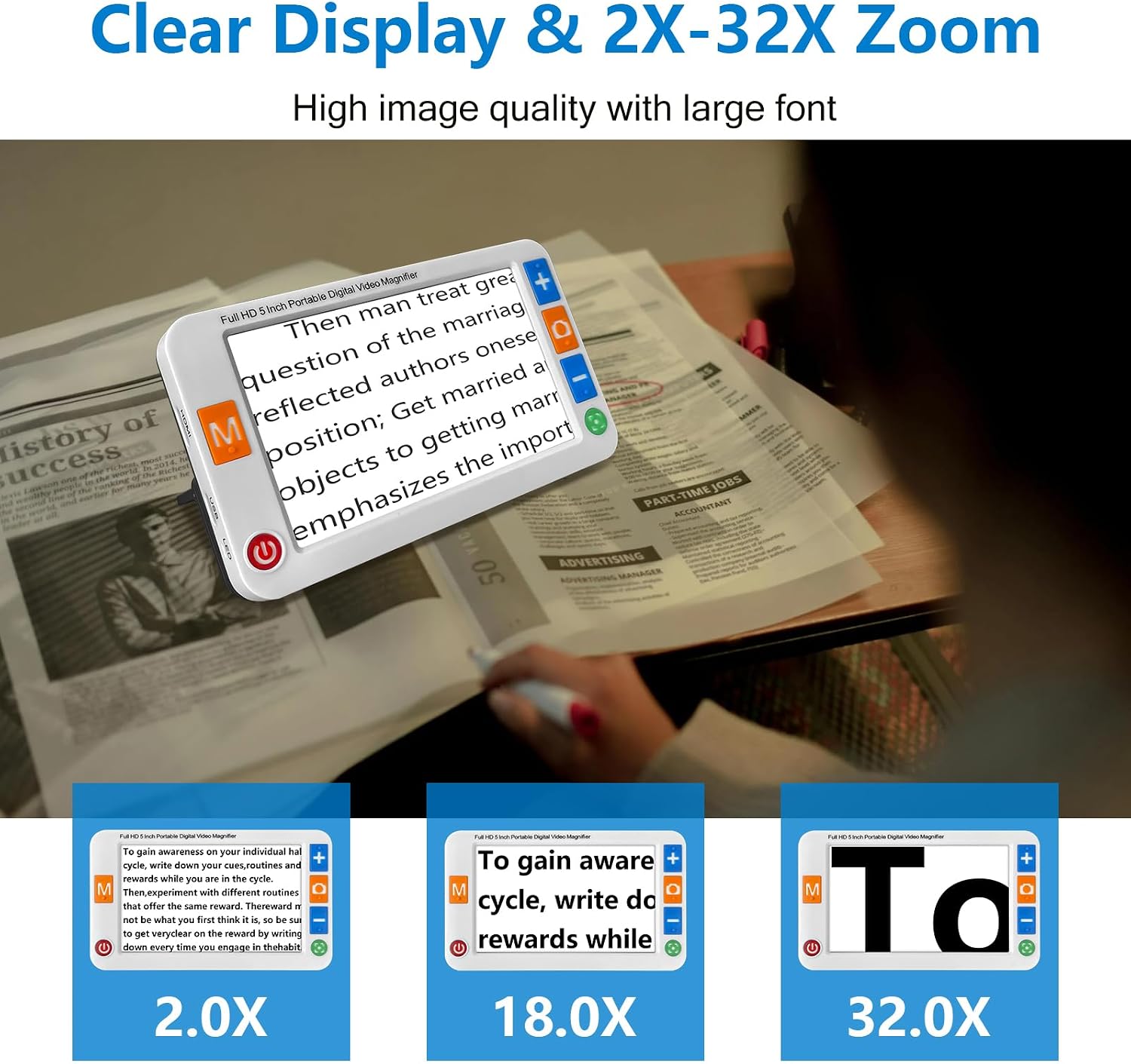
Digital
$189.99
In stock on Amazon
Check price on AmazonThe Battery Problem: A Hidden Ownership Cost to Disclose Upfront
Here is the single most under-discussed issue in this category, and one that practitioners often miss because it doesn’t appear at point of purchase.
Several popular pocket video magnifiers — particularly models that have built strong repeat-purchase patterns among family caregivers — have a documented battery failure window of approximately two years under regular daily use. The repeat purchases are not driven by preference or upgrade behavior. They’re driven by the battery dying and the owner discovering that replacement batteries are either unavailable through standard retail channels or priced high enough to make sourcing them impractical.
This matters clinically and financially. A $100 device that requires replacement every 24 months costs $50 per year in device cost alone, before any consumables. Over five years, that’s $250 — approaching the cost of a mid-tier device with a more durable or user-replaceable battery architecture. When you’re advising a client on a fixed income, or writing a device recommendation for a care plan, the two-year replacement cycle needs to be named explicitly.
The Royal National Institute of Blind People’s guide “Choosing a Magnifier: Low Vision Aids Guide” specifically recommends asking, before any electronic magnifier purchase, whether the battery is user-replaceable and whether replacement batteries are available from the manufacturer or an independent supplier. That question belongs on any low vision evaluation checklist.
Practical guidance for practitioners:
- Ask the manufacturer directly about battery serviceability before recommending a specific model.
- For clients who are likely to be sole users without family technical support, favor devices with USB-C charging over proprietary cables — USB-C has a longer ecosystem lifespan and cables are universally available.
- Document the battery question in your recommendation so the client or family has it in writing when the battery eventually fails.
Setup Difficulty: The Independence Barrier Nobody Talks About
Across aggregated purchaser reviews in this category, one pattern appears with striking regularity: elderly buyers who live alone, without a sighted helper available for initial setup, struggle significantly more with first-use configuration than buyers who have family assistance.
This is not a minor friction point. For an individual in their late 70s with AMD, living independently, a device that requires navigating a small onscreen menu to select language or brightness defaults can be functionally inaccessible at setup even if it’s perfectly usable once configured. Reviewers in this demographic have noted returning devices not because the magnification was inadequate, but because they couldn’t get past initial setup without assistance.
The clinical implication is direct: if your client lives alone and has no regular sighted support, setup complexity is a primary device-selection criterion, not a secondary one. A device with a simpler, single-function interface — power on, camera on, magnify, done — may serve them better than a feature-rich model with superior specs that they can never get running.
ABLEDATA’s assistive technology product database, maintained by the Administration for Community Living, includes interface complexity as a product characteristic in its magnification device listings. Devices marketed as “simple setup” or “single-button operation” should be cross-referenced against actual user reports, not just manufacturer claims.
If the client lives alone and cannot reliably reach tech support: Prioritize single-function devices with physical buttons over touchscreen navigation. Plan a guided setup session as part of your service delivery, not as an afterthought.
Frequently Asked Questions
How does a $100 pocket video magnifier actually compare to the CCTV readers recommended at low vision clinics? For spot-reading tasks — labels, checks, menus, mail — reviewers consistently report functional adequacy at a fraction of the cost. Desktop CCTVs win on screen size and stability for extended reading. If your client’s task list is primarily spot reading, the pocket magnifier category is worth serious evaluation. The American Foundation for the Blind’s guidance document “Video Magnifiers: What to Know Before You Buy” frames device selection around task analysis, not category defaults.
What happens when the battery dies — can it be replaced, or do you need to buy a new unit? This varies by model and is one of the most important pre-purchase questions to ask. Several popular models have a documented approximately two-year battery lifespan under daily use, with replacement batteries that are difficult or expensive to source. Before recommending any model, confirm battery replaceability directly with the manufacturer. For clients on fixed incomes, a device with a non-serviceable battery is a recurring cost that needs to be named upfront.
Which color contrast mode works best for macular degeneration? There is no universal answer — contrast preference is individual and should be assessed per client. White-on-black and yellow-on-black are the most commonly cited effective modes, but AMD affects contrast sensitivity differently across individuals. The American Occupational Therapy Association’s practice guidelines for low vision emphasize individualized contrast assessment as a component of adaptive device selection. Prioritize devices with a wider mode set (10 or more modes) when individual assessment isn’t possible.
Can an elderly person with AMD set this up without a sighted helper? Some can, some cannot — and setup complexity is a meaningful predictor of abandonment in this population. For any client living alone without regular support, treat setup complexity as a primary selection criterion and plan a guided setup session as part of your recommendation.
Is the 3.5-inch screen large enough for reading checks and prescription labels? For most brief spot-reading tasks, yes. For sustained reading at high magnification, or for users with significant hand tremor, the 5-inch category provides meaningfully better usability. The price difference is typically modest; for moderate-to-advanced AMD, the upgrade is usually worth it.
The Decision Framework
If X, then Y:
- Client has mild AMD, primarily does brief spot reading, has family setup support → budget-tier 3.5-inch model. Confirm battery replaceability. Plan a 30-day follow-up.
- Client has moderate AMD with any hand tremor → mid-tier model with freeze-frame. The freeze-frame feature is the functional differentiator for this profile.
- Client has moderate-to-advanced AMD, reads at high magnification regularly, or AMD is actively progressing → premium-tier 5-inch model. Per the Royal National Institute of Blind People’s guidance on choosing magnifiers, anticipate future magnification needs, not just current ones, for a progressive condition.
- Client lives alone, no sighted support for setup → any screen size, but filter first by simplest interface. Single-button or minimal-navigation devices only. Schedule a setup session.
- Client or family is comparing against a clinic-recommended CCTV over $500 → run a task analysis first. If the task list is spot reading rather than extended page reading, the pocket magnifier category covers the functional need at 20–30% of the cost. Document your reasoning per the American Foundation for the Blind’s task-based selection guidance.
- Battery longevity is a concern (client on fixed income, no nearby tech support) → confirm serviceability before recommending any specific model. The approximate two-year replacement cycle is a real cost that belongs in the recommendation documentation.
The pocket video magnifier category is not a consolation prize for patients who can’t afford a desktop CCTV. For the right user profile, it’s the right tool — and at its price point, it removes the funding barrier that too often means no tool at all.