Imagine someone hands you their parent’s medication bottle and says: “She can’t read any of this anymore, and her glasses don’t help.” That’s macular degeneration at work — a condition where the central part of the retina gradually stops functioning, erasing the sharp-focus zone that humans rely on for reading, faces, and fine detail. Prescription lenses can’t fix it because the problem isn’t the lens of the eye; it’s the light-sensing tissue behind it. What can help is a video magnifier — a device that captures an image with a camera, enlarges it dramatically on a screen, and often lets the user flip it to high-contrast color modes (like white text on a black background) that peripheral vision handles better than standard print. This article compares the full product range, from sub-$100 pocket units to $600-plus desktop readers with built-in OCR (optical character recognition, meaning the device reads text aloud), and gives you an honest frame for deciding which tier is actually worth the money.
| EDITOR'S PICKSnow 12 Inch Foldable Portable… | Mid-tierEyoyo Portable Digital Magnifie… | Budget pickEyoyo Digital Magnifier Portabl… | |
|---|---|---|---|
| Screen size | 12 in | 5.0 in | 3.5 in |
| Magnification | 19x | 4x–32x | 2x–25x |
| OCR / text read | ✓ | — | — |
| Text-to-speech | ✓ | — | — |
| Color modes | — | 17 | — |
| Brightness levels | — | 5 | — |
| Price | $1,309.50 | $169.99 | $79.99 |
| See on Amazon → | See on Amazon → | See on Amazon → |
What the Market Actually Looks Like in 2026
The video magnifier category spans four rough tiers. Understanding where each tier begins and ends matters because the price jumps between them are not linear — and neither are the functional gains.
| Tier | Form Factor | Typical Price Range | OCR / TTS? |
|---|---|---|---|
| Budget portable | 3–5-inch handheld | $50–$150 | No |
| Mid portable | 5–7-inch handheld or foldable | $150–$350 | Occasionally |
| Desktop / tabletop | 10–14-inch screen, fixed or arm-mounted | $350–$700 | Sometimes |
| Full OCR desktop | 12–15-inch, dedicated reading processor | $600–$1,200+ | Yes |
The American Foundation for the Blind, in their consumer guidance document “Video Magnifiers and CCTVs: What You Need to Know,” draws a consistent distinction between devices designed primarily for visual access — you see a larger image — and those designed for auditory access via OCR text-to-speech, where the device reads the page aloud so the user doesn’t need to track text at all. That distinction drives almost every “is the upgrade worth it?” question you’ll field.
ABLEDATA, the assistive technology product database maintained by the Administration for Community Living, currently lists over 80 discrete video magnifier products across these tiers. Not all are meaningfully differentiated. The purchasing decisions that matter most cluster around three real-world use cases:
- On-the-go reading — menus, price tags, medication labels in the wild
- Desk-based extended reading — mail, newspapers, books, forms
- Check-writing and handwriting tasks — which require a specific camera angle and working distance that not all devices support
Comparing Across Tiers: Budget, Mid, and Desktop
Budget Portable: The Sub-$150 Handheld Case
The budget-tier handheld video magnifier — represented by devices like the Eyoyo 3.5-inch — occupies the most contested territory in this category. Buyers have explicitly reported purchasing one instead of a clinic-recommended device priced above $600, describing equivalent day-to-day utility for label reading and menu navigation. For a caregiver managing a tight budget, that testimony carries real weight.
That said, the most significant risk in the budget tier surfaces with unusual specificity in owner reports: battery failure. A meaningful pattern emerges of units losing the ability to hold a charge within 7 to 14 months of regular use. The non-returnable or limited-return policy common to this price tier compounds the risk: if the battery fails after the return window closes, the buyer absorbs the full loss.
The Royal National Institute of Blind People, in their consumer guidance document “Choosing a Magnifier,” explicitly recommends that buyers confirm battery replaceability before purchase — advice that applies with particular force in this segment.
The honest tradeoff framing:
- If the buyer has a tight budget and needs portable spot-reading capability, the budget handheld tier delivers genuine functional utility at a price point that makes replacement economically survivable. Buying two over three years is still cheaper than one $600 device.
- If the user depends on the device daily and cannot tolerate a gap in access — think medication self-management or living alone — battery-failure risk is clinically meaningful. The mid-tier or a device with a user-replaceable battery is worth the price jump.
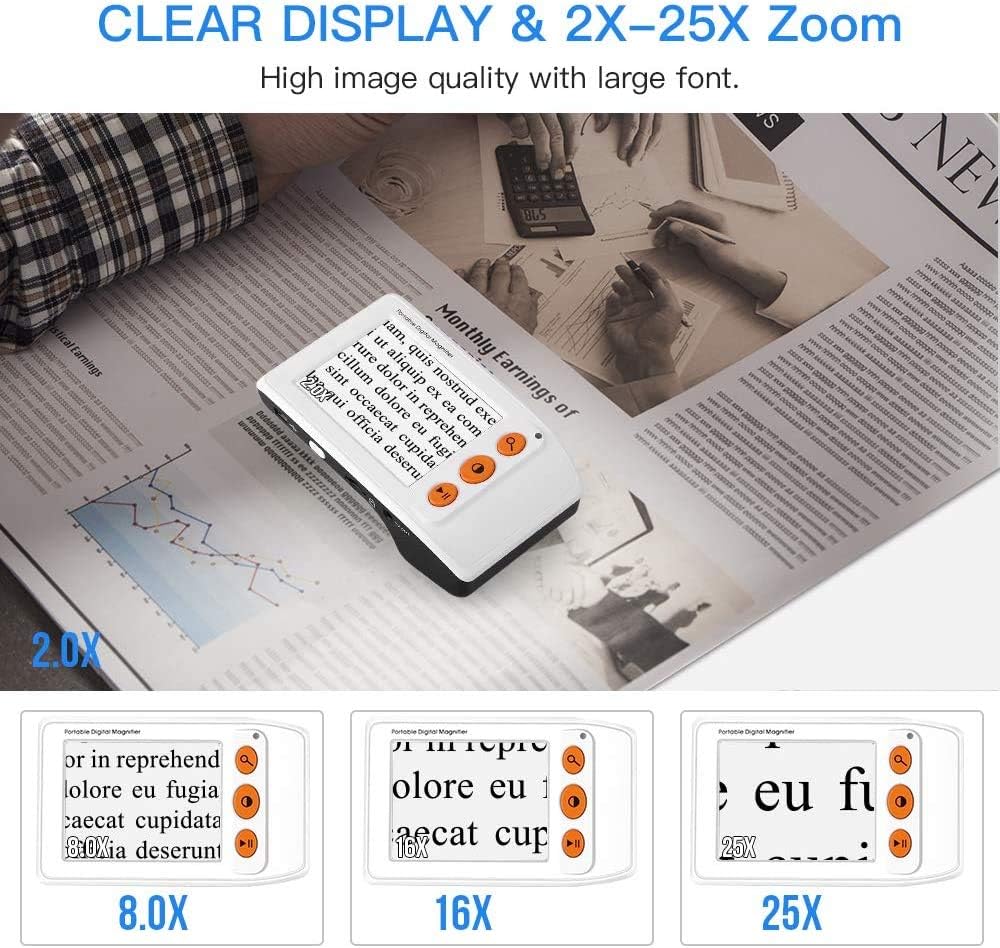
Eyoyo
$79.99
In stock on Amazon
Check price on AmazonMid-Range Portable: The 5–7-Inch Foldable Tier
Mid-range portables occupy the $150–$350 band and typically offer larger screens, longer battery life, and in some cases a fold-flat form factor that makes them practical for purse or jacket-pocket carry while still fitting on a café table. A small number of devices in this tier include basic OCR text-to-speech, though the quality of speech synthesis and the accuracy of character recognition at this price point varies considerably.
The primary reason to step up from a budget handheld to this tier is daily-use durability. Devices in this range tend to use higher-capacity batteries and, in many cases, offer manufacturer warranties of one year or longer with defined service paths. For a user who reads mail, prescriptions, and short documents at home every day, the mid-tier is usually the right cost-benefit landing point.
The American Foundation for the Blind’s guidance on video magnifiers notes that magnification range in the 6x–24x zone covers the practical reading needs of most macular degeneration users — a specification that mid-tier devices reliably hit. Beyond that range, gains are marginal for most users unless peripheral vision is severely compromised.
Interface simplicity matters at every price point, but it becomes a sharper selection criterion in this tier because mid-range devices often add features — mode cycling, freeze-frame, distance modes — that require multi-step menu navigation. For users with any cognitive overlay, that added complexity can mean the device goes unused. More on that in the interface section below.
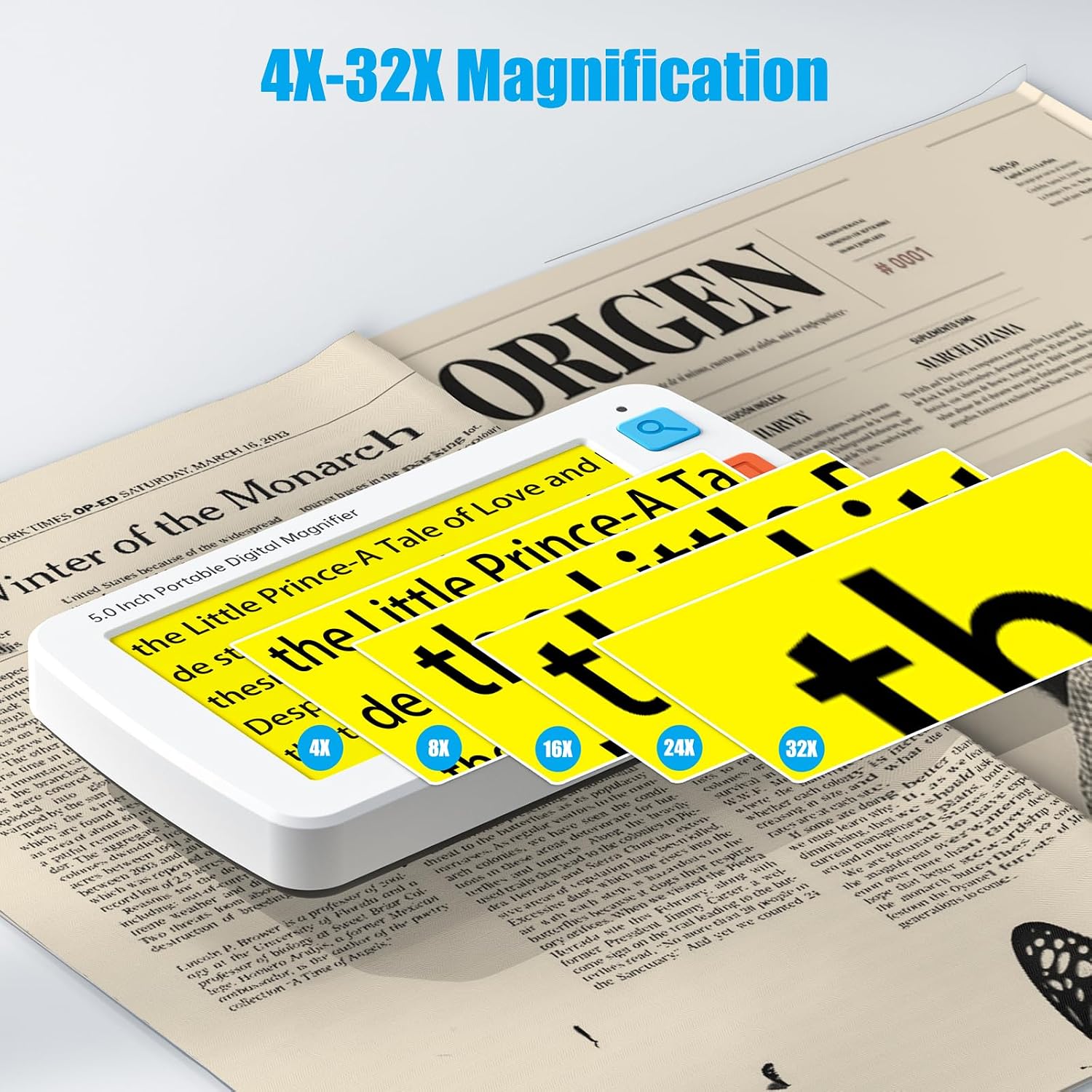
Eyoyo
$169.99
In stock on Amazon
Check price on AmazonDesktop and Full OCR: The 12-Inch Tabletop Tier
The Zoomax Snow 12 represents the clearest example of a device solving a problem that smaller units genuinely cannot. Buyers — and a notable portion are caregivers purchasing on behalf of elderly relatives — consistently cite check-writing and form completion as the task that justified the spend. The camera geometry on a 12-inch desktop unit allows the user to write under the camera field, seeing their own handwriting enlarged in real time on the screen. Pocket devices, regardless of magnification power, do not support that use case in a practical way.
Zoomax’s published specification sheet for the Snow 12 lists magnification from 2x to 40x, with 24 color contrast modes including high-contrast reverse-polarity options. Users with macular degeneration consistently rate the color-contrast modes as meaningfully helpful — not marginally so. The peripheral visual field that macular degeneration tends to spare responds better to high-contrast, large-format presentation than to standard black-on-white text at any size. The American Occupational Therapy Association, in their practice advisory “Low Vision and Occupational Therapy,” describes high-contrast display as a core principle of low-vision task design — not an optional feature.
A setup-support caveat worth flagging explicitly for any practitioner advising a solo caregiver situation: initial device setup on desktop units requires someone with unimpaired vision. Menu navigation, display calibration, and connecting peripheral components are not accessible to a new user with significant central vision loss who has no sighted support at home. If the buyer is the only person managing the relative’s AT environment, plan for a supported onboarding session before the device ships.
The full OCR desktop tier — devices that read text aloud via text-to-speech — sits at the top of this segment, typically $600–$1,200+. The price jump from a basic video magnifier to an OCR-enabled reader is justified when the user can no longer reliably track enlarged text visually. At that point, OCR converts a partially accessible device into a fully accessible one. ABLEDATA’s product database notes that OCR-enabled devices increasingly overlap with dedicated daisy-player and screen-reader ecosystems. For users who already own a smartphone with accessibility features enabled, a lower-cost OCR app may partially serve the reading-aloud function at zero additional hardware cost — worth raising with a client before recommending a dedicated OCR reader.

Snow
$1,309.50
In stock on Amazon
Check price on AmazonInterface Complexity as a Real Clinical Variable
Across this entire product category, a pattern in buyer reports that practitioners should weight heavily: simplified-button designs earn consistent, emphatic praise when the buyer is purchasing for an elderly relative with dementia or post-stroke cognitive changes. Users report that devices with fewer buttons, clearly tactile controls, and single-purpose operation get used independently. Devices with multi-step menus, small toggle switches, or mode-cycling buttons often end up unused or requiring caregiver assistance for every session.
This is not a minor convenience variable. The Royal National Institute of Blind People’s consumer guidance document “Choosing a Magnifier” explicitly categorizes ease of use without support as a primary selection criterion for buyers over 75. If the device won’t be used independently, the functional outcome of the purchase is zero regardless of optical specification.
Practical decision rule: if the user has any cognitive overlay — dementia, stroke, TBI, or significant anxiety about technology — weight interface simplicity at least as heavily as magnification range. A device with 6x–24x magnification and two buttons outperforms a device with 2x–48x and a five-mode interface, every time, if the first one gets used and the second doesn’t.
Frequently Asked Questions
How long do the batteries last before they stop holding a charge on budget video magnifiers? Based on aggregated owner reports, budget-tier handheld magnifiers (sub-$150) show a meaningful pattern of battery degradation between 7 and 18 months of regular use. This is not universal, but it is common enough that buyers should treat battery lifespan as a known risk variable, not an edge case. Mid-range devices with larger battery capacity or user-replaceable batteries show better longevity in reported owner experience.
Can a video magnifier help someone who can no longer read with any prescription glasses? Yes — this is precisely the use case these devices are designed for. Macular degeneration affects the retina, not the optical system of the eye, so prescription correction doesn’t restore central reading vision. A video magnifier bypasses that limitation by enlarging the image to a size and contrast level where remaining peripheral vision can interpret it. The American Foundation for the Blind, in “Video Magnifiers and CCTVs: What You Need to Know,” confirms this is the primary clinical rationale for the category.
What is the difference between a video magnifier and a CCTV reader — are they the same thing? Functionally, yes. “CCTV” (closed-circuit television) is the older clinical and industry term for what the consumer market now calls a video magnifier. Both use a camera to capture an image and display it enlarged on a screen with adjustable contrast. The term “CCTV reader” persists in clinical documentation and some insurance funding paperwork; “video magnifier” is the current consumer and retail label. If funding paperwork says CCTV, that category covers video magnifiers.
Can my relative use this independently or will they need help setting it up? Setup independence depends heavily on the device and the user’s vision level. Desktop units typically require sighted assistance for initial configuration. Once set up, many users operate these devices independently session-to-session. For users with cognitive changes in addition to vision loss, simplified-button models show the highest independent-use rates in reported buyer experience. Plan for at least one supported setup session regardless of device tier.
Does the color contrast mode (white text on black background) actually help with macular degeneration? Consistent with the American Occupational Therapy Association’s practice advisory on low vision and occupational therapy, yes — meaningfully so for many users. Because macular degeneration damages central vision while sparing peripheral vision, high-contrast reverse-polarity display reduces the visual processing demand on the damaged area. Users with macular degeneration consistently rate contrast modes as one of the most useful features, often more so than raw magnification power beyond a moderate level.
Is OCR text-to-speech worth the price jump from a basic video magnifier? It is worth it when the user can no longer reliably track enlarged text visually — at that point, OCR converts a partially accessible device into a fully accessible one. It is not worth the premium if the user can still read effectively with visual magnification and good contrast settings. The American Occupational Therapy Association’s low vision practice advisory recommends a functional vision assessment by an OT with low vision certification or a vision rehabilitation therapist before recommending any high-cost low-vision device — and that evaluation is the most reliable way to determine which side of that line a given user falls on.
The Decision Frame
If you’re under time pressure and need a clean decision tree:
- Budget is primary, use case is spot-reading, battery failure is survivable → Budget portable tier. Accept the battery-lifespan tradeoff in exchange for price. Eyoyo — $79.99
- User needs daily desk-based reading, interface simplicity is critical → Mid-range portable tier. Prioritize warranty and battery capacity over maximum magnification range. Eyoyo — $169.99
- User needs check-writing support or can no longer track enlarged text reliably → Desktop tabletop or full OCR tier. Budget for a setup-support session and evaluate OCR only if visual tracking is genuinely impaired. Snow — $1,309.50
- Cognitive overlay (dementia, stroke, TBI) is present at any tier → Prioritize button count and interface simplicity over magnification range. A device used independently at 8x beats one abandoned at 40x.
The Royal National Institute of Blind People’s “Choosing a Magnifier” guidance and the American Foundation for the Blind’s video magnifier guidance both recommend a low vision specialist evaluation before purchase when the device will be a primary access tool — not because the devices are hard to choose, but because a 20-minute functional assessment can prevent a $400 purchase that doesn’t match the user’s actual visual profile. If your client has access to an OT with low vision certification or a vision rehabilitation therapist, that consult is worth the referral before finalizing any device above the budget tier.